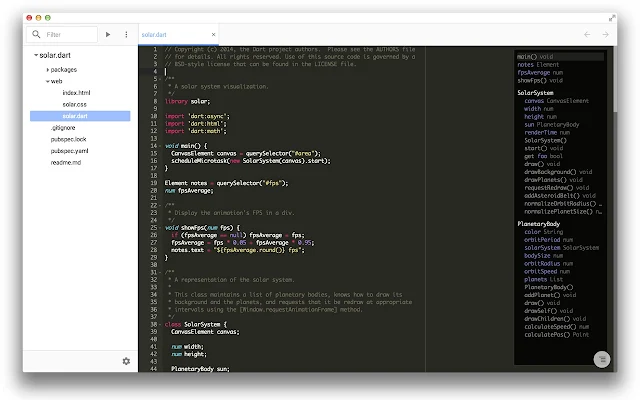
Check out the video from Google I/O 2014 about building apps on the Chrome platform and how Chrome Dev Editor (CDE) is build.

var http = require("http");
var path = require("path");

http.createServer(function(request, response){

 var dirname = path.dirname(decodeURI(request.url));
 var basename = path.basename(decodeURI(request.url));

 response.writeHead(200, {"Content-Type": "text/plain"});
 response.write("Hello World! \n");
 response.write("from mobile-web-app.blogspot.com \n");

 response.write("dirname: " + dirname + "\n");
 response.write("basename: " + basename + "\n");

 response.end();
}).listen(8888);
<html>
<body>
<script>
console.log("mobile-web-app Javascript String comparison");
var result1 = 'abc'===new String('abc');
var result2 = 'abc'===new String('abc').toString();
var result3 = 'abc'== new String('abc');
var result4 = 'abc'== new String('abc').toString();

console.log("'abc'===new String('abc') : " + result1);
console.log("'abc'===new String('abc').toString() : " + result2);
console.log("'abc'== new String('abc') : " + result3);
console.log("'abc'== new String('abc').toString() : " + result4);
</script>

</body>
</html>

var serverapp = require('http').createServer(handler);
var io = require('socket.io').listen(serverapp);
var fs = require('fs');

serverapp.listen(8888);

function handler (req, res) {
    fs.readFile("page.html",
        function (err, data) {
            if (err) {
                throw err;
            }
            res.writeHead(200);
            res.end(data);
        });
}

io.sockets.on("connection", function (socket) {
    socket.on("event_button_clicked", function (data) {
        console.log(data.text);
        io.sockets.emit("event_upatetext", { value: "hello " + data.text});
    });
});
<html>
<head></head>
<body>
<h1>Hello World!</h1>
<p>from mobile-web-app.blogspot.com</p>

<form action="">
<input
    type="text" id="intext"><br>
<input
    type="button"
    id="button1"
    value="Click ME"
    onclick="button_clicked(this);">
</form>
<p id="outtext"></p>

<script src="/socket.io/socket.io.js"></script>
<script>
var socket = io.connect(document.location.href);

function button_clicked(button)
{
    socket.emit(
        "event_button_clicked",
        { text: document.getElementById("intext").value });
}

socket.on("event_upatetext", function (data) {
    console.log("event_upatetext" + ": " + data.value);
    document.getElementById("outtext").innerHTML = data.value;
});
</script>

</body>
</html>
